
Tekken is among the most popular gaming franchises, which has existed since the late ‘90s. We have all grown up playing this incredible arcade game that falls under the fighting category. The original game was only released in Japan in November 1996, but it was then released internationally in March 1997. A year later, the game was ported to PlayStation.
If you are from the 90s, then you must have heard of Tekken 3. I personally have spent a good amount of time playing Tekken 3 at gaming stations. The popularity of this game can be determined from the fact that it has sold over 35,000 arcade units, along with 8 million PlayStation copies.
The third edition of this game featured more than 23 different characters, including Byran Fury, Eddy Gordo, Hwoarang, Jin Kazama, and Ling Xiaoyu, with a unique set of skills and moves.
Disclaimer: This guide is for educational purposes only. You should only use game files from original discs that you legally own.
Tekken 3 Download for PC
If you are looking to play this game again, then you can’t do it like the normal video games that we play today. You will have to download Tekken 3 on PC, but how can you do it when the game was only meant for Arcade Boards and PlayStation?
Well, in order to play the game on your PC, you will have to use the PlayStation version of the game. Use a PlayStation emulator to emulate the PlayStation gaming environment on your Desktop PC or laptop. Let’s discuss this in detail:
Download Tekken 3 for PC
You can directly download the emulated gaming files from the link given below. Check out the basic details of the file. Once checked, you can easily download it to a safe and accessible location on your PC.
Download Now (Mirror 1) – Direct Link
Pre-Requisites and System Requirements for Tekken 3
In order to run the game on your PC, your system needs to meet certain requirements. Since we are going to use two resources, your PC as well as the emulator to run the game, it’s important to have a specific configuration of the PC.
- Tested System: Windows 10 Home 64-Bit
- Operating System: Windows Vista/7/8/8.1/10/11
- CPU: Pentium 4 or later
- RAM: 512 MB
- Setup Size (Internet Bandwidth Required): 29.49 MB
- Hard Disk Space: 100 MB
- Video Card: 32 MB
- DirectX Version: 9.0
- Mouse and keyboard
If your system has these specifications or better, then you can enjoy the game on your PC. It’s time for you to download and install Tekken 3 on your PC.
How to Install Tekken 3 on PC
As we are emulating the PlayStation version of the game to run on a Windows 10 PC, there will be a few installation steps to perform. Let’s discuss the steps in detail, and you will be able to play Tekken 3 on your Windows 11 PC easily.
You need to start by disabling Windows Defender, as it can impact the installation. Here’s how you can disable it in Windows 10, but the steps are similar in older versions of Windows.
- To disable Windows Defender, you need to open ‘Windows Settings’. Then, click on ‘Update & Security’.
- Now, navigate to ‘Windows Security’ and then click on the ‘Open Windows Security’ button.
- Click on the icon labelled as ‘Virus & Threat Protection’.
- Click on the ‘Manage Settings’ link. You can find this option under the‘ Virus & Threat Protection Settings’ section.
- Lastly, turn off the ‘Real-time protection’.
With that, you become ready for the actual installation process. Go to the folder/directory where you have downloaded the RAR file of the game.
Extract the RAR file with the help of any compression tool. It’s recommended to use WinRAR software.
As you extract the file, you will see a folder, which will contain a total of 16 files.
You need to start by clicking on the ‘!Tekken.reg’ file. This file will create an environment for the game by modifying a few files in the Registry Editor.
Once the registration is successful, click on the ‘Tekken.bat’ file to start the game.
How to Play Tekken 3 on PC
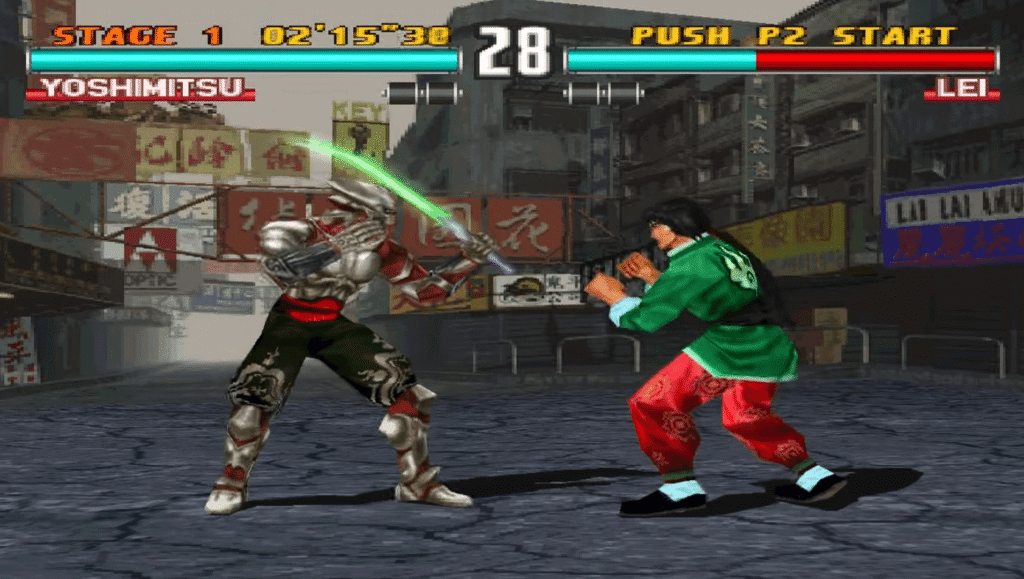
The Arcade board used to have a joystick with up, down, left, and right movements. Then, there were four buttons for movements.
But this is the emulated version of PlayStation Edition. So, all those buttons are now replaced by the following keyboard keys.
z =X
s = Triangle
x =O
d = Square
Keyboard Up = Up
Keyboard Down = Down
Keyboard Left = Left
Keyboard Right = Right
Summing Up
With that, the process of installing Tekken 3 on your PC is complete. You can now play the game and experience that nostalgia.
If you are confused about which PS3 emulator to choose, then you can try EmuBox, RetroArch, Pcsx2, or PPSSPP.
If you encounter any issues while performing any of the aforementioned steps, please comment below. We will be more than happy to assist you.